Nadakacheri Family Tree Certificate – Apply, Download & Check Status Online
Many people in Karnataka need a Family Tree Certificate for legal, government, or personal needs. This certificate shows how family members are related and is often needed for pension claims, property transfers, court cases, and government schemes. The Karnataka Government offers this service online through the Nadakacheri (AJSK) portal. Citizens can apply for a Family Tree Certificate, check the application status, and download the certificate online without visiting physical offices again and again. This guide explains everything in simple and easy words, step by step.
What is a Family Tree Certificate?
A Family Tree Certificate is an official government document from the Karnataka Revenue Department. It shows the family structure of the applicant, including:
- Father and mother
- Spouse (husband or wife)
- Children
- Sometimes other legal heirs, like siblings if relevant
On the Nadakacheri portal, this service is listed as “Attestation of Family Tree”. The certificate is digitally signed by revenue officials, so it is valid and accepted everywhere. This is different from a Legal Heir Certificate, which is mainly for claiming assets after someone’s death. The Family Tree Certificate is broader and used for many family-related proofs.
How to Apply for Family Tree Certificate Online?
The entire application is done on the official Nadakacheri 5.0 portal. Follow these steps carefully:
- Visit the Portal:
- Go to https://nadakacheri.karnataka.gov.in (or ajsk.karnataka.gov.in).
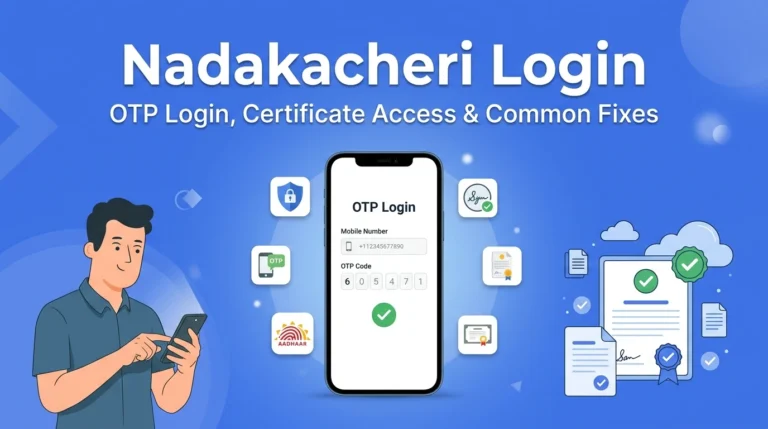
- Login with Mobile OTP:
- Enter your Aadhaar-linked mobile number.
- Get and enter the OTP sent to your phone.
- No need for separate registration.
- Select the Service:
- Go to the Citizen Dashboard.
- Click on “New Request”.
- Search and select “Attestation of Family Tree“.
- Fill the Application Form:
- Enter your personal details: name, address, taluk, district.
- Add family member details carefully (father, mother, spouse, children).
- Double-check spellings to match your documents.
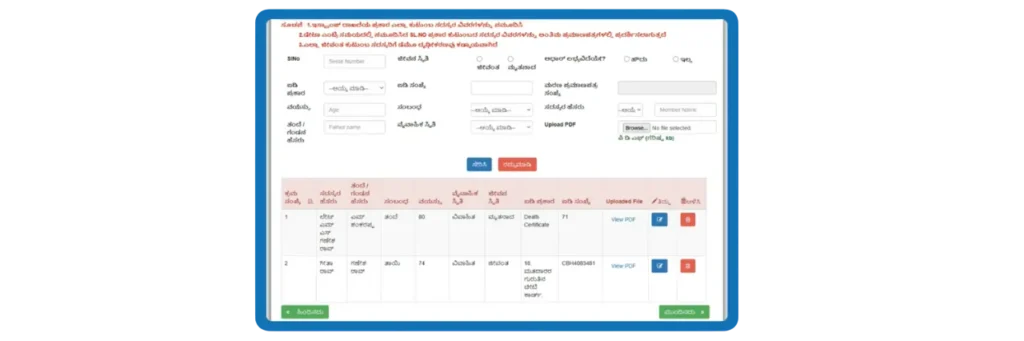
- Upload Documents:
- Attach the required PDFs.
- Ensure file sizes are within limits shown on the site.
- e-Sign and Submit:
- Verify with Aadhaar OTP again.
- Complete the digital e-Sign.
- Submit the form.
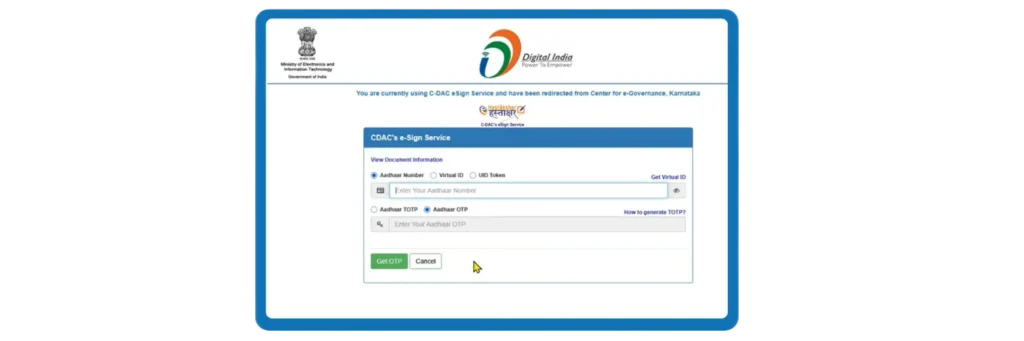
After submission, you will receive an Acknowledgement Number, also called the RD Number. Save it carefully, as you will need it to track, download, and verify your certificate. For a complete overview of Nadakacheri services such as certificate verification, status check, and downloads, read our detailed article explaining all Nadakacheri services.
Required Documents for Family Tree Certificate
To apply successfully, keep these documents ready. Upload them as clear PDF files:
- Aadhaar Card of the applicant (mandatory for online process)
- Ration Card (highly recommended, as it shows family members)
- Death Certificate (if including a deceased parent or spouse)
- Self-Declaration (if required by the portal)
- Any other proof like voter ID, school records, or birth certificates for family members (useful if names don’t match exactly).

Make sure names and details match exactly across all documents. Scan them clearly – blurry uploads can lead to rejection.
How to Check Nadakacheri Family Tree Application Status?
You can check the status of your family tree certificate online at any time by using your RD (Acknowledgement) number. Follow the steps below:
- Visit https://nadakacheri.karnataka.gov.in
- Click Application Status
- Enter your RD Number
- Click “check the status”.
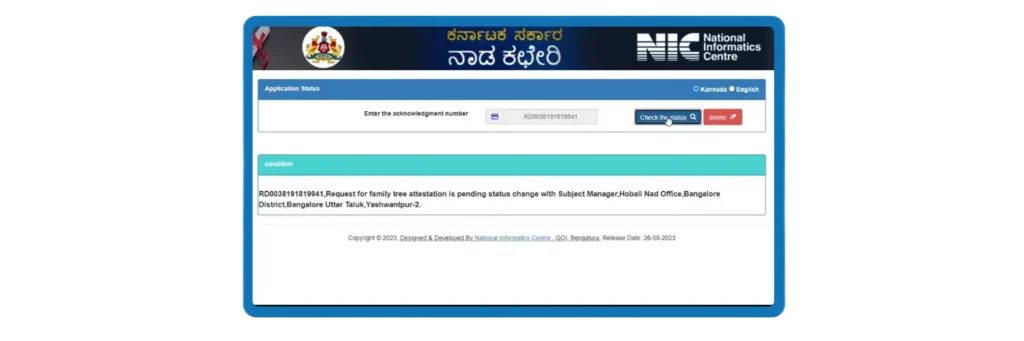
Status may show:
- Pending at Village Accountant
- Pending at Tahsildar
- Approved
- Rejected (with reason)
Once your application status is approved, you can easily download your Nadakacheri Family Tree Certificate online from the official portal. To track your application, you can also read our detailed guide to check Nadakacheri application status online.
How to Download Family Tree Certificate?
You can download your Nadakacheri Family Tree Certificate in PDF format by following these steps:
- Login to Nadakacheri portal
- Go to My Applications
- Find your approved application
- Click Print / Download
- Pay the required fee
- Download the Nadakacheri Family Tree Certificate PDF
The downloaded file is digitally signed and officially accepted by courts, banks, and government offices. Keep this PDF safe, as it serves as the official copy for all purposes.
Why Do You Need a Family Tree Certificate?
People in Karnataka often require this certificate for various legal and personal reasons. Here are the most common uses:
- Pension Claims: To apply for widow pension, family pension, or old age pension when proving dependents.
- Property Inheritance or Transfer: To show who the legal heirs are when dividing or transferring land, house, or other assets.
- Legal Heir Proof: In succession matters or when someone passes away without a will.
- Court Cases: For family disputes, maintenance claims, or any case needing family relationship proof.
- Government Schemes and Benefits: For compensation, scholarships, or aid programs that require family details.
- Bank and Insurance Claims: To release funds from joint accounts or claim insurance policies.
- Other Purposes: Sometimes for mutation of records, visa applications, or school-related family proofs.
Having this certificate ready can make these processes smoother and faster.
Processing Time
Most applications are processed within 7–15 working days, but in some cases involving field verification by the Village Accountant or Tahsildar, it may take up to 30 days. It depends on your area and how quickly local officers (Village Accountant and Tahsildar) verify.
Why Family Tree Applications Get Rejected?
Rejections happen due to simple errors. Here are the top ones:
- Spelling mistakes or name mismatches between Aadhaar, ration card, etc.
- Missing or incomplete family details.
- Poor quality or wrong format uploads.
- Incorrect ration card information.
- Failed Aadhaar verification.
Tips to Avoid Rejection:
- Use exact names from Aadhaar.
- Upload clear, recent scans.
- Apply with an Aadhaar-linked phone.
- Fill all fields completely.
If rejected, check the reason online and reapply after fixing it.
Important Tips for Faster Approval
These tips will help you submit your application correctly and avoid common reasons for rejection.
- Keep all documents scanned, clear, and ready before applying
- Apply early morning or late evening to avoid website traffic
- Make sure names and details exactly match Aadhaar and other records
- Use an Aadhaar-linked mobile number to receive OTP without issues
- Save your RD number and take screenshots for reference
Helpline & Support
If you face any problem while checking status or downloading the family tree certificate, you can contact:
- Helpline: 080-22214588
- Email: [email protected]
- Timing: Monday–Saturday, 10 AM to 5 PM
Conclusion
The Family Tree Certificate through Nadakacheri is a helpful service that simplifies proving family relationships in Karnataka. With Aadhaar integration, the online process is quick and reduces visits to government offices. Prepare your documents well, follow the steps, and you’ll likely get your certificate without issues. If you face problems, reach out to the Nadakacheri helpline at 080-22214588 or email [email protected].