Apply for Nadakacheri Agriculture Certificate – Complete Step by Step Guide
If you are a farmer in Karnataka or belong to a farming family, you will need an Agriculture Certificate or Farmer Certificate for different purposes. Whether it is for a government scheme, a crop loan from a bank, an agriculture subsidy, or to prove that your family is involved in farming. This certificate is an important document that will help to apply for benefits and offers given by the government to farmers.
Many people want to apply for this certificate but get confused because the information online is incomplete or difficult to understand. They often do not know which certificate to choose, which documents are needed, or what to do if the application is rejected. In this guide, you will learn everything step by step, so you can complete the process easily without confusion or facing any delay.
What Is a Nadakacheri Agriculture Certificate?
A Nadakacheri Agriculture Certificate is an official document issued by the Revenue Department of Karnataka through the Atalji Janasnehi Kendra (AJSK) portal, commonly known as Nadakacheri. This certificate acts as official proof that you or your family is involved in agricultural activities such as farming, cultivating land, or working as an agricultural labourer.
It is not just one single certificate. Under Nadakacheri, there are multiple types of agriculture-related certificates, and each one serves a different purpose. For example, a land-owning farmer needs a different certificate compared to a farm labourer or a family member of a farmer. Depending on your situation, it is important to identify and apply for the correct certificate so that your application is not rejected or delayed.
How to Apply for Nadakacheri Agriculture Certificate Online?
Applying for the agriculture certificate through the Nadakacheri portal is a simple online process. Before you start, make sure your Aadhaar is linked to an active mobile number and all your documents are ready. Follow the steps below carefully to complete your application without any problem:
Step 1: Open the Nadakacheri Portal
Go to the official website: nadakacheri.karnataka.gov.in
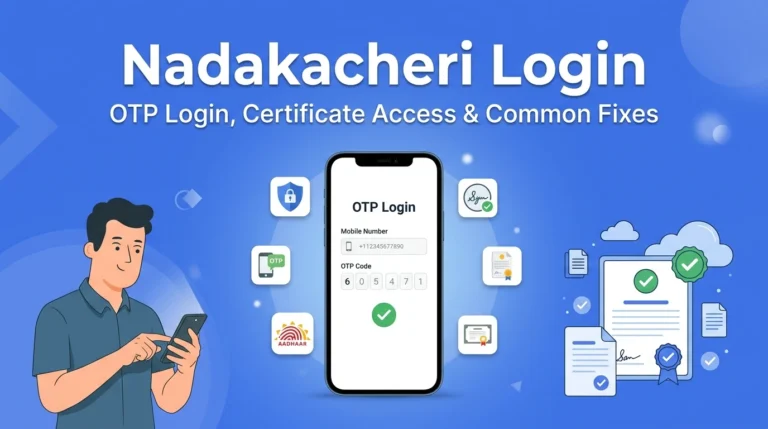
Step 2: Login with Your Mobile Number
- Click on “Apply Online” on the homepage
- Enter your mobile number (use the same number linked to your Aadhaar)
- Click “Get OTP”
- You will receive an OTP on your mobile
- Enter the OTP and click “Login”
You do not need to create any account. Anyone can log in directly using their mobile number.
Step 3: Go to “New Request”
After login, you will see your dashboard. Click on “New Request” from the menu.
Step 4: Select the Agriculture Certificate
A list of all services will appear. Look for the agriculture certificate you need. For example:
- “Agriculturist Certificate”
- “Agricultural Family Member Certificate”
- “Small / Marginal Farmer Certificate”
- “Agricultural Labour Certificate”
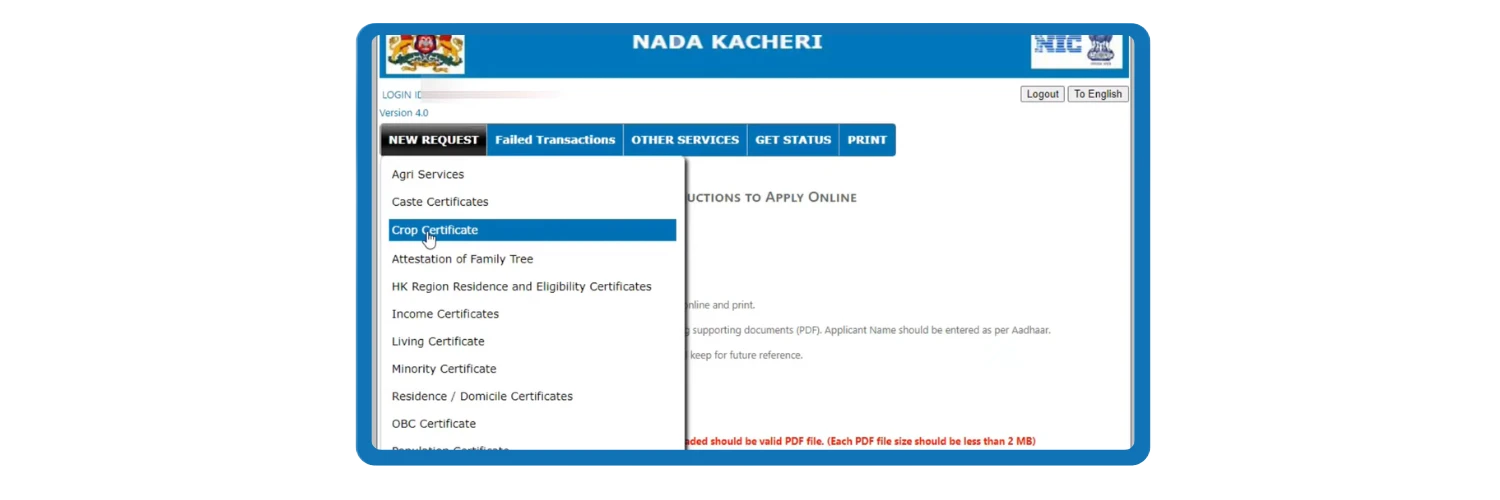
Select the correct one and click on it.
Step 5: Fill in the Application Form
Fill in all the required details carefully:
- Your full name (as in Aadhaar)
- Father’s name / husband’s name
- Complete address
- Aadhaar number
- Land details (survey number, village, hobli, taluk)
- Purpose of the certificate
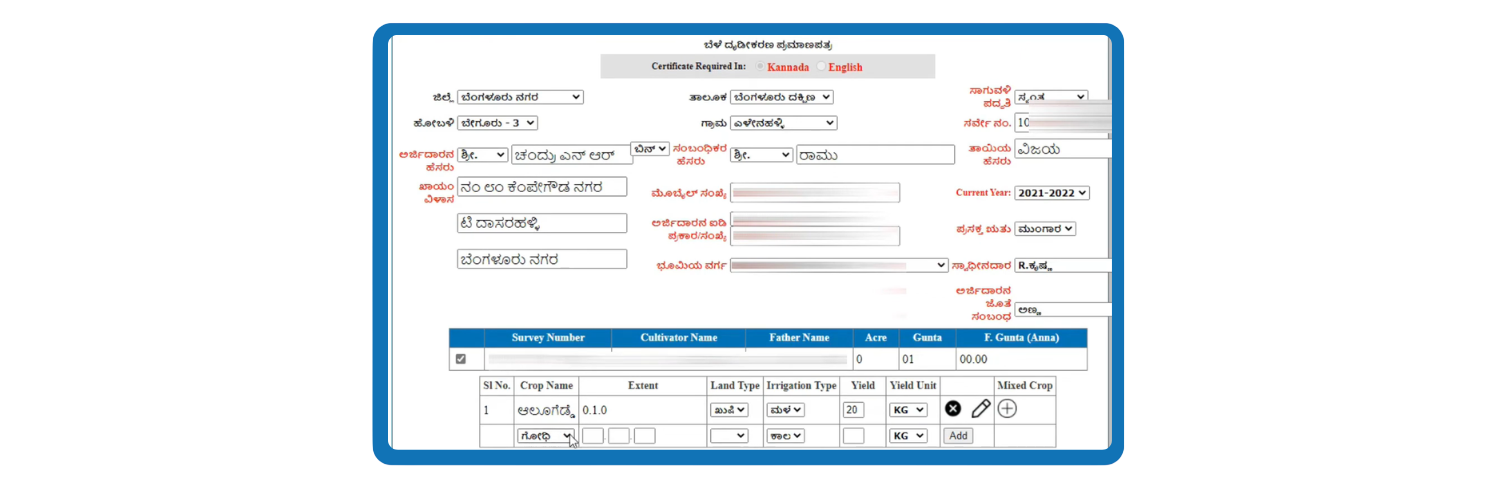
Check all details twice before moving forward. A mistake here will delay or reject your application.
Step 6: Upload Your Documents
Upload the required documents one by one. Make sure each file is in PDF format and the file size is below 200 KB.
Step 7: Complete e-Sign (Aadhaar OTP)
You will be asked to complete an e-Sign using your Aadhaar number.
- Enter your Aadhaar number
- An OTP will be sent to the mobile number linked with your Aadhaar
- Enter the OTP to confirm your signature
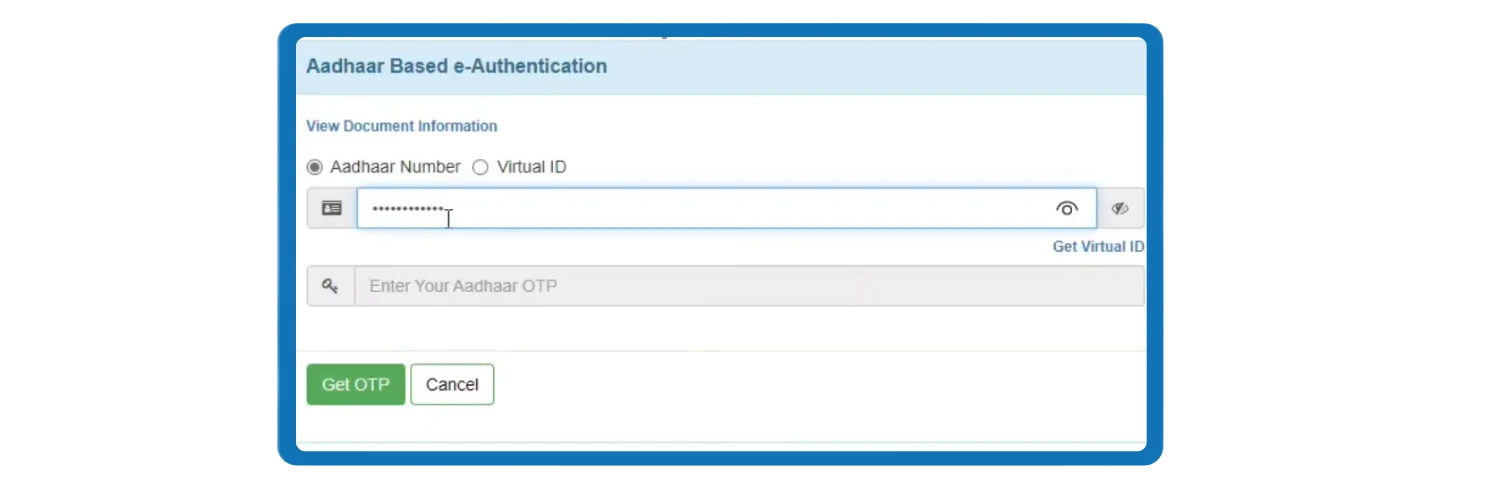
This step is compulsory. Without e-Sign, your application will not move forward.
Step 8: Pay the Service Fee
A small application fee is charged to complete the submission. You can pay using any UPI app (Google Pay, PhonePe, Paytm, etc.) or online banking. After payment, your application is officially submitted.
Step 9: Save Your RD Number
After submission, you will receive an Acknowledgement Slip with a unique RD Number (example: RD003834XXXXXXX). Save this RD number carefully. You will need it to:
- Check your application status
- Download your certificate once approved
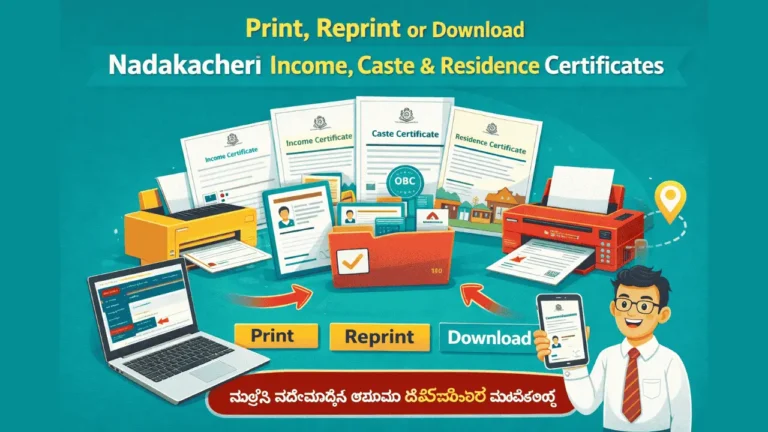
Once your application is approved, you can follow our complete guide on how to print Nadakacheri certificate to download your official PDF and print your official document.
Types of Agriculture Certificates in Nadakacheri (Farmer Certificate & Crop Certificate)
Nadakacheri does not issue only one agriculture certificate. There are 7 different certificate types available under the agriculture services category, and each certificate is for a different purpose. Many applicants choose the wrong certificate while applying, which can cause rejection or unnecessary delays. Before starting the application process, read each certificate type carefully below and select the one that best matches your situation.
1. Agriculturist Certificate (Farmer Certificate):
- For farmers who own and cultivate agricultural land. This is the most commonly used certificate for government schemes, subsidies, and bank loans.
2. Agricultural Family Member Certificate:
- For family members of a farmer who do not personally own land but belong to a farming family.
3. Agricultural Labour Certificate:
- For people who work on farms as labourers without owning any land. Used to access farm worker benefits under government programs.
4. Landless Certificate
- For citizens who do not own any agricultural land. It is required for government schemes meant for landless people.
5. Small / Marginal Farmer Certificate
- For farmers with limited land. Marginal farmers own up to 2.5 acres and small farmers own between 2.5 and 5 acres. Needed for PM-KISAN and similar schemes.
6. Land Holding Certificate
- Shows the total agricultural land you hold. Required for bank loans and Kisan Credit Card (KCC) applications.
7. No Tenancy Certificate
- Proves that no one else is farming your land as a tenant. Needed for land-related legal work and property transactions.
Note: If you are not sure which certificate applies to your situation, visit your nearest Nadakacheri center and explain why you need it. They will guide you apply for the correct certificate according to your need.
Who Can Apply for an Agriculture Certificate?
Not every person can apply for every type of agriculture certificate. Each certificate has its own eligibility, and the application is approved only after the officer verifies that you meet the correct conditions. Before applying, check the list below to confirm which certificate you are eligible for.
Land-owning farmers:
- Citizens of Karnataka who own and cultivate agricultural land can apply for the Agriculturist Certificate.
Family members of farmers:
- If you belong to a farming family but do not own land personally, you can apply for the Agricultural Family Member Certificate.
Agricultural labourers:
- People who work on farms without owning any land can apply for the Agricultural Labour Certificate.
Small and marginal farmers:
- Farmers who own limited land up to 5 acres can apply for the Small and Marginal Farmer Certificate.
Landless citizens:
- People who do not own any agricultural land at all can apply for the Landless Certificate.
Why Do You Need an Agriculture Certificate?
The Agriculture Certificate is required in many situations related to farming, banking, education, and government schemes. Without this certificate, many applications and benefits meant for farmers cannot be processed or approved.
Documents Required for Agriculture Certificate
Before applying, keep all your documents ready. This will make the application process easier and help you avoid delays. The documents listed below are needed for most agriculture certificate applications.
- Aadhaar Card
- Voter ID Card
- RTC / Pahani Extract
- Property Tax Receipt
- Ration Card
- Electricity Bill or Water Bill
- Passport-size photograph
- Mobile number linked to Aadhaar
- Declaration letter from local authority (only for Agricultural Labour Certificate)
- Land record showing total area (only for Small / Marginal Farmer Certificate)

Note : Make sure all documents are uploaded in PDF format and each file is below 200 KB. Also check that your name is spelled exactly the same across all documents, especially on your Aadhaar card and land records. Even a small difference in spelling can cause rejection.
How to Check Agriculture Certificate Application Status?
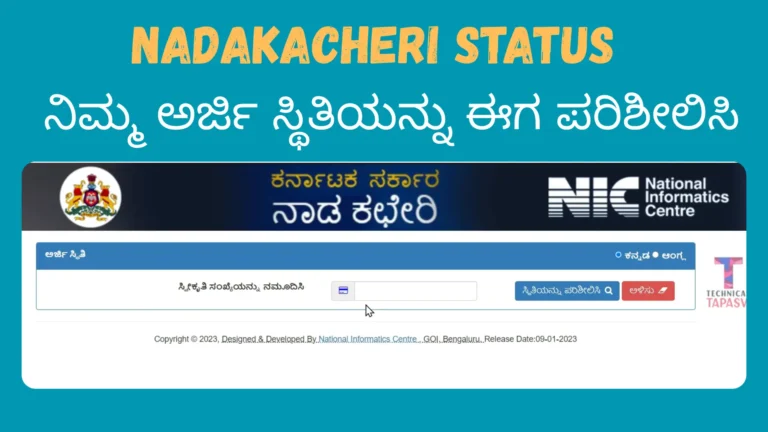
After submitting your application, you do not need to visit any office to know about the progress of your application. You can check the current status of your agriculture certificate application anytime online using your RD number, from your mobile or computer.
Steps to check status:
- Go to nadakacheri.karnataka.gov.in
- Click on “Application Status”
- Enter your RD Number
- Enter the CAPTCHA shown on the screen
- Click “Search”
Your current application status will appear on the screen. After searching, the current status of your application will appear on the screen. If you are not sure what does the status mean, check the explanation below:
- Submitted –>Your application has been received
- Pending at VA (Village Accountant) –>The local officer is reviewing it
- Pending at RI (Revenue Inspector) –>A senior officer is checking it
- Pending at Tahsildar –>Final officer is reviewing before approval
- Approved –>Your certificate is ready to download
- Rejected –>Your application was not approved (check the reason and reapply)
If you face any issue while tracking progress of your application, you can read our detailed guide on how to check nadakacheri application status. This will help you understand exactly why your application might be stuck at the Village Accountant (VA) or Revenue Inspector (RI) level and how to speed up the approval process.
How to Download Agriculture Certificate After Approval
Once your application status shows “Approved”, follow these steps to download your certificate:
Note: The first download is free. If you need another copy later, you can use the Reprint Certificate option on the portal. A small fee will be charged for reprinting.
Processing Time for Agriculture Certificate
After successful submission, most agriculture certificates including the Agriculturist Certificate, Agricultural Family Member Certificate, Small / Marginal Farmer Certificate, Landless Certificate, and Land Holding Certificate are processed within 7 to 15 working days. The Agricultural Labour Certificate may take slightly longer, up to 21 working days, as it sometimes requires additional verification. Processing time can increase if your documents have any issue or if the officer needs to visit your location for field verification. Make sure all your details and documents are correct at the time of submission to avoid unnecessary delays.
Common Reasons for Rejection and How to Fix Them
Most applications get rejected because of small mistakes that can easily be avoided. Here are the most common ones:
- Name mismatch between Aadhaar card and land records
- RTC / Pahani not uploaded or uploaded in wrong format
- Blurry or unclear document scans
- File size above 200 KB or wrong file format
- e-Sign step not completed
- Land record not in the applicant’s name
- Incorrect or incomplete details in the application form
Tips to Avoid Rejection:
- Make sure your name is spelled exactly the same across all documents
- Upload clear scans in PDF format below 200 KB
- Complete the Aadhaar e-Sign step before submitting
- Double check all details before final submission
- Use a mobile number that is linked to your Aadhaar
If your application is rejected, check the reason on the status page and apply again after fixing the issue. If you still need help, visit your nearest Atalji Janasnehi Kendra (Nadakacheri center) with all your original documents. There are 769 centers across Karnataka at the Hobli level, and the staff there will guide you through the process.
Helpline & Support
If you face any problem while applying, checking the status, or downloading the agriculture certificate, you can contact:
Conclusion
Applying for a Nadakacheri Agriculture Certificate is a simple process if you follow the steps correctly. Make sure you choose the right certificate type according to your requirement, keep all documents ready before starting, and fill the form carefully. Most applications are approved without any problem when the details are correct and documents are clear. If your application gets rejected, don’t worry – check the reason, fix the issue, and reapply. The process helps farmers and agriculture families access the benefits they are eligible for, so take your time and complete it carefully.