How to Update or Correct Information on Nadakacheri Certificates
Government certificates issued through the Nadakacheri portal are used across Karnataka for education, jobs, government schemes, and legal purposes. Since these certificates are connected with official records, even a small mistake like a spelling error in applicant’s name or an incorrect address can cause problems or rejection during verification.
Many people face such issues due to wrong details entered during the application or verification process. To fix this, the Karnataka Revenue Department allows applicants to update or correct information on Nadakacheri certificates. This guide explains the complete process to correct Nadakacheri Certificate details, including what details can be corrected, required documents, online and offline steps, approval process, and common mistakes to avoid.
What does data correction mean in Nadakacheri certificates?
Correction or update in Nadakacheri certificates means fixing unintentional errors that occurred while applying for or issuing the certificate. It does not mean applying for a new certificate, but requesting changes in an already approved and issued document.
These corrections are handled by revenue officials under the Atalji Janasnehi Kendra (AJSK) system. Every correction request is verified at the village and taluk level before final approval by the Tahsildar, ensuring authenticity and legal validity. To understand how different Nadakacheri services work, including applications, corrections, status checks, and downloads, you can visit our Nadakacheri 5.0 certificates guide.
Online Process to Correct Nadakacheri Certificate Details
The Nadakacheri portal allows online correction for many certificate types, making the process convenient and time-saving.
Step-by-Step Online Correction Process
- Visit the official Nadakacheri portal https://nadakacheri.karnataka.gov.in/
- Click on Apply Online and log in using your Aadhaar-linked mobile number
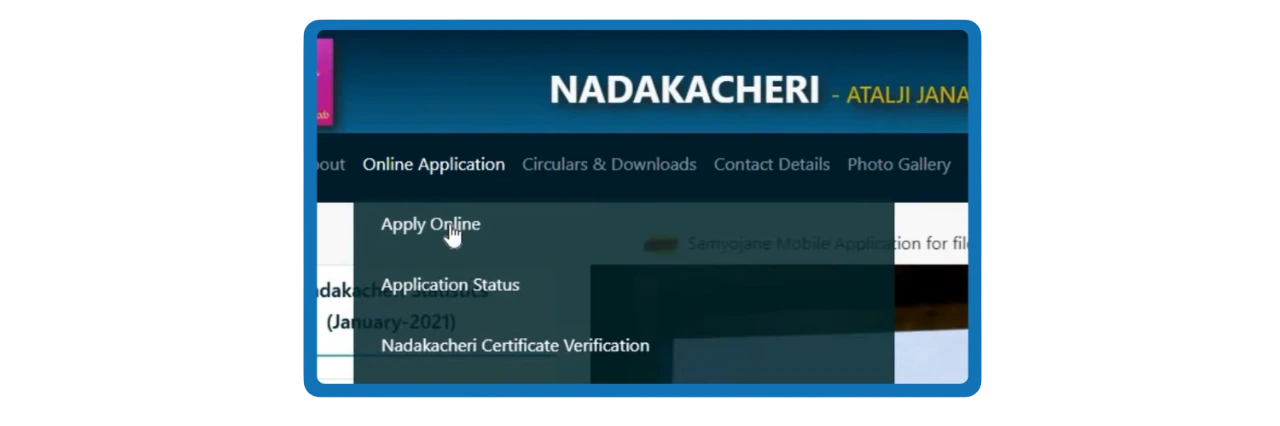
- Verify login using OTP
- Go to My Applications or Certificate Services
- Select the certificate that requires correction
- Choose the option “ Correction”
- Update only the incorrect details
- Upload supporting documents
- Complete Aadhaar-based e-sign
- Submit the request and note the new RD number
After submission, the application moves to the Village Accountant for verification. Once your correction request is approved, you can reprint the updated certificate online. To reprint your certificate, you can read our detailed guide on how to reprint Nadakacheri Certificate.
Offline Method to Update Nadakacheri Certificate Information
If the online correction option is not available or you are facing any issues, you can apply offline to update information on Nadakacheri certificates.
Offline Correction Steps
- Visit the nearest Nadakacheri / Atalji Janasnehi Kendra
- Carry original certificate and supporting documents
- Submit a written explanation of the error
- Officials will verify documents and upload the correction request
- Receive acknowledgement for tracking
Offline corrections are commonly used in rural areas and are equally valid.
Types of Information That Can Be Updated
Not all data changes are allowed. Nadakacheri permits only genuine and document-supported corrections. Below are the most commonly approved updates:
Personal Details:
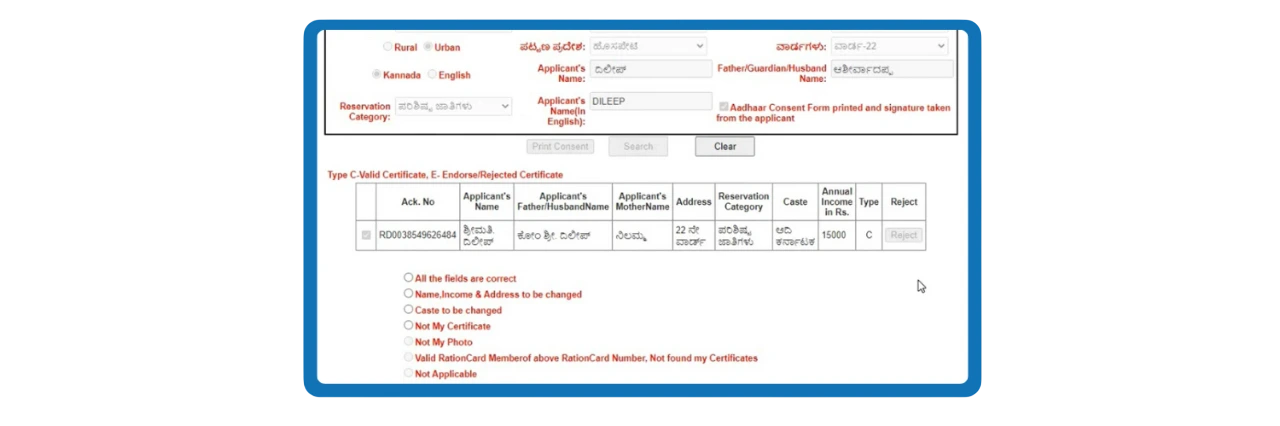
These errors usually occur due to typing mistakes or mismatch between Aadhaar and application details.
Address and Residence Details:
Address corrections are common in domicile and residence certificates and require proof like ration card or Aadhaar.
Certificate-Specific Information
Important: Changing caste category, religion, or identity-related claims is not allowed through correction requests.
Certificates Eligible for Correction on Nadakacheri
Most certificates issued through the Nadakacheri portal can be corrected if there is a valid reason. These include:
- Income Certificate
- Caste Certificate
- Residence / Domicile Certificate
- Family Tree Certificate
- Widow Certificate
- Senior Citizen Certificate
- Economically Weaker Section (EWS) Certificate
- Non-Creamy Layer Certificate
Each certificate type has different verification rules, which is why supporting documents are crucial.
When Should You Apply for a Correction?
You should apply for correction immediately after noticing an error. Many applicants realize mistakes only when their certificate is rejected by a bank, college, or government department due to mismatch with Aadhaar or PAN records. Delaying correction can result in:
- Missed admission deadlines
- Loan or subsidy rejection
- Legal or verification delays
Early correction ensures smoother processing and avoids last-minute pressure.
Documents Required for Updating Nadakacheri Certificates
Submitting the right documents is the most critical part to update or correct Nadakacheri Certificate details. Authorities approve changes only when proper proof is provided.
Commonly Required Documents
- Original Nadakacheri certificate
- Aadhaar card (mandatory in most cases)
- RD number or application reference number
- Supporting proof for correction (school records, birth certificate, ration card, voter ID, etc.)
- Self-declaration explaining the mistake (in some cases)
All documents must be clear, readable, and valid. Uploading unclear or unrelated proof is a common reason for rejection.
How the Correction Request Is Verified?
Once submitted, the correction request follows an official approval chain:
- Village Accountant (VA): Verifies documents and field details
- Revenue Inspector (RI): Reviews and forwards the request
- Tahsildar: Gives final approval or rejection
This multi-level verification ensures accuracy and prevents misuse.
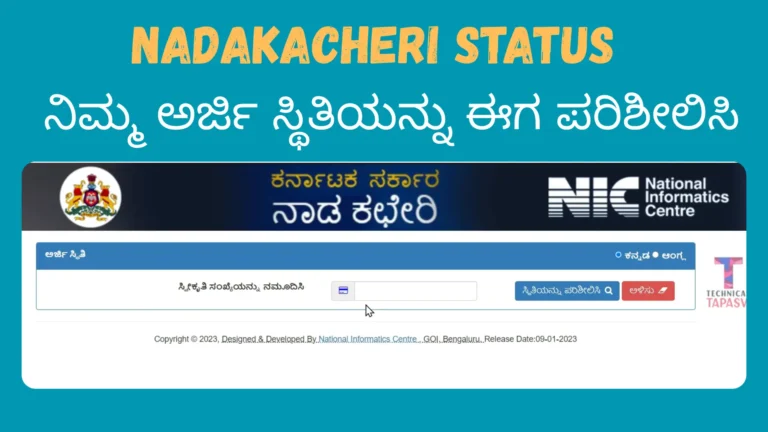
How to Check Correction Application Status?
Applicants can track their correction request using the RD number.
- Visit the Nadakacheri portal
- Click on Application Status
- Enter your RD number
- View current status and remarks
The status may show “Pending,” “Under Review,” “Approved,” or “Rejected.” Our guide explains how to check your application status and track its progress.
Downloading the Corrected Certificate
After approval, the updated certificate becomes available for download on the portal.
- Log in to your Nadakacheri account
- Access the approved application
- Download the digitally signed corrected certificate
The new certificate replaces the old version and is legally valid.
Common Reasons for Rejection
Many correction requests are rejected due to avoidable mistakes, such as:
- Uploading wrong or unclear documents
- Requesting unsupported changes
- Mismatch between Aadhaar and submitted proof
- Multiple major corrections in a single request
Applicants are advised to carefully review the rejection remarks and reapply only after all previously identified errors have been corrected.
Important Tips for Successful Correction
- Always cross-check details before submitting
- Upload clear and relevant documents only
- Do not request changes without valid proof
- Keep RD number safe for tracking
- Use offline method if online option is unavailable
Following these tips increases approval chances significantly.
Helpline
If you experience any difficulties while updating the information, please reach out to your district Nadakacheri center for assistance.
- Helpline: 080-22214588
- Email: [email protected]
- Timings: Monday–Saturday, 10 AM to 5 PM
Conclusion
Updating or correcting information on Nadakacheri certificates is essential to ensure your documents are accepted without issues for official processes. The Karnataka Revenue Department provides both online and offline correction options to make this process accessible for all citizens.
By understanding valid corrections, submitting correct documents, and tracking your application properly, you can get your corrected Nadakacheri certificate without unnecessary delays or repeated visits to government offices.